Missing from the EXIF: Electric Melbourne
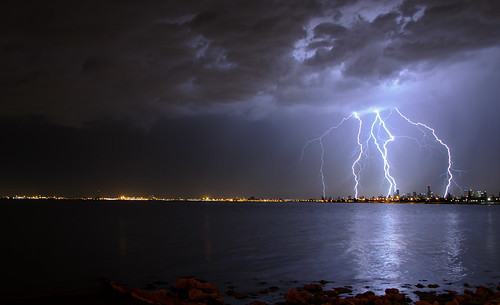
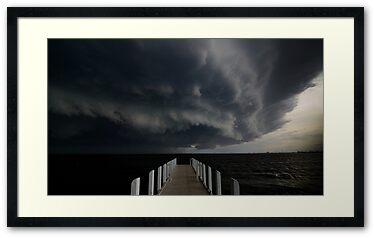
Wow, I finally got the lightning shot I’ve been hunting. By finally, I mean after 5 years of owning a Digital SLR.
This of shot of course was not without a bucket load of luck. Luck in the form of the following, lightning at the right time, not raining at the time, not windy at the time, the #wolfcatcubs down and asleep, and that is just for starters.
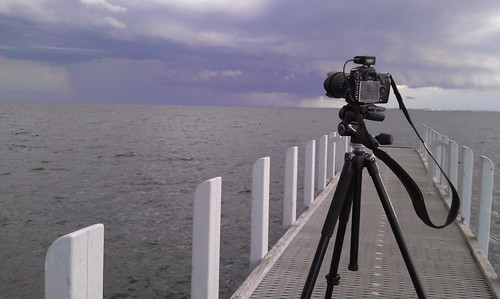
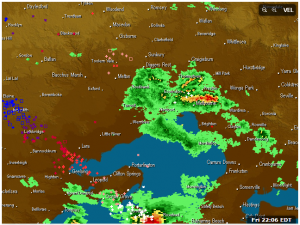
Taken at my favourite location at the end of North Road, I was chasing a certain storm cell I had seen on radar 30 min before. A cell that hit Ballart hard with hail and severe winds causing a lot of damage as well.
Setting up in my fav location, phone in hand with WeatherzonePro+hooked up to my Weatherzone Pro account I could track the storm cells and lightning as well. The first batch of photos were shots chasing the cell which passed near Geelong. Whilst I managed to get a few strikes on camera they just weren’t that “photogenic“.
Checking the radar told me to wait a bit longer, whilst a few drops of rain had fallen, I knew it wasn’t going to rain hard for a while yet.
I repositioned the camera to focus on a potential cell over the city. Whilst visible on radar, it wasn’t to the naked eye. I had the intervalometer mode enabled on the D7000, shooting an 8second exposure every 9 seconds. At which point a lot of luck came into play. A lightning strike lasts for less than a second, so I had the camera shooting for exposures which would have been to dark for ordinary use, but to compensate for the bright flash that lightning would produce.
I had joked with some people at the location, what I was after was a couple of bolts dropping just over the CBD, for that magic shot. My joke came true. As you can see in the radar capture from the time, my location was in a hook in the rain, even more luck.
I took over 100 shots that night at one location. But this shot is a one shot wonder, all of these strikes are as you see in one shot. Often people merge multiple lightning strikes into one image, this is an in camera image, which is how I prefer to shoot.
The corrections in lightroom were a small crop, lens correction and a slight push to black levels, nothing more. Whilst I could have corrected the white balance, the blue cast adds to the image in my opinion.
I hope you enjoy this shot as much as I did.
Please support my camera habit by buying this image by click on it below.

The EXIF Info:
| Camera | Nikon D7000 |
| Exposure | 8seconds |
| Aperture | f/7.1 |
| Focal Length | 18 mm |
| ISO Speed | 200 |
| Exposure Bias | 0 EV |
| Flash | Off, Did not fire |
| Software | AdobePhotoshopLightroom4.2 (Windows) |
| Date and Time (Modified) | 2012:11:30 22:55:20 |
| Exposure Program | Manual |
| Focal Length (35mm format) | 27 mm |
| Lens Model | 18.0-105.0 mm f/3.5-5.6 |
| GPS Latitude | 37 deg 53′ 53.81″ S |
| GPS Longitude | 144 deg 59′ 5.63″ E |
| GPS Altitude Ref | Above Sea Level |
| GPS Altitude | 16 m |
| GPS Satellites | 10 |
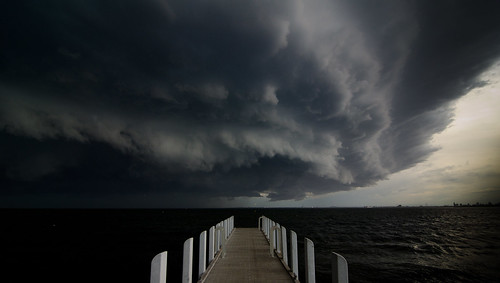
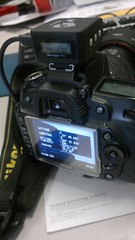
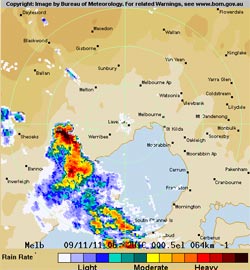 I’ll break down the day as it happened as was planned. Now Melbourne is not known for its tropical storms. This is both good and bad for me. Good as I hate humidity and the last few days in Melbourne have been torture, but very bad for taking storm photos. The BOM had been saying for a few days that big storms were due. So the night before involved checking all the gear, making sure the camera was charged, the Solmeta GPS was charged and the cards were emptied. Nothing worse than a rare storm event and not having something right 🙂
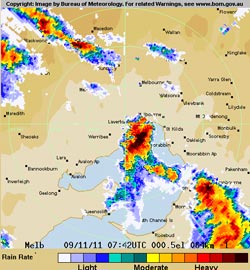 Lucky for me, there was a second cell on the radar. The second cell was the one that I would get my shot from. The first cell did provide some nice outflow clouds and I saw a few lightning bolts, but nothing on camera.